On Plotcade, the price begins with a count. Choose a rectangle. Multiply its width by its height. That is the number of pixels in the plot, and each pixel costs one US dollar in a single purchase.
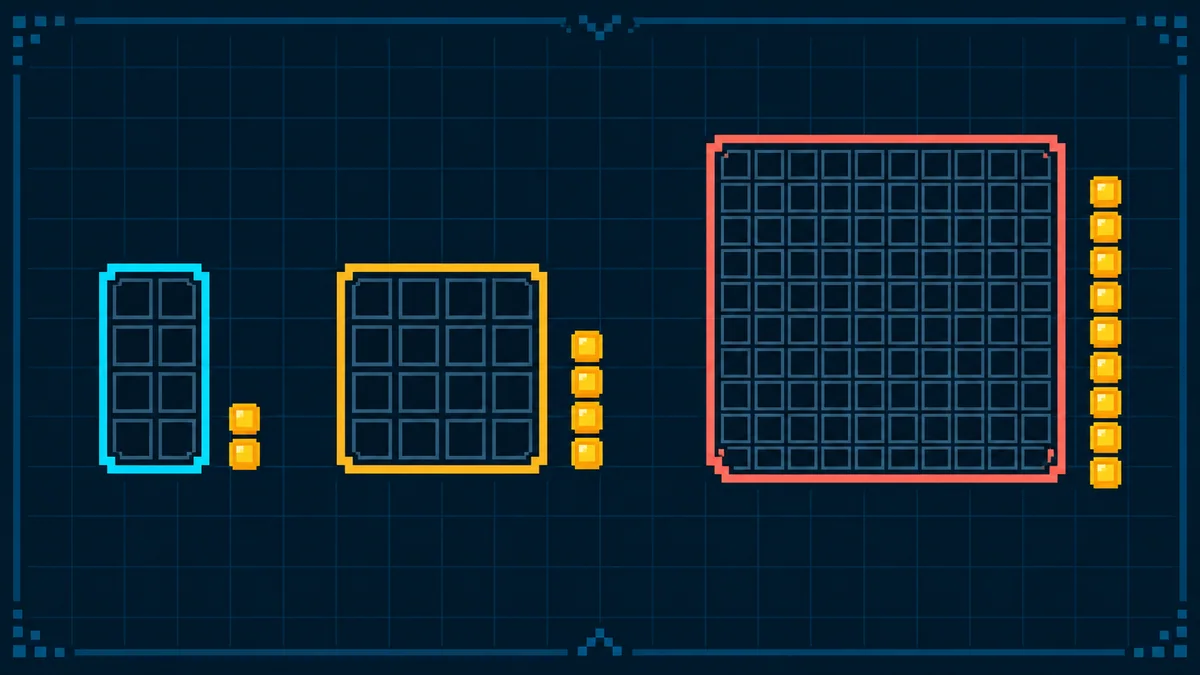
A 2 × 4 rectangle contains eight pixels: $8. A 4 × 4 square contains sixteen: $16. A 10 × 10 square contains one hundred: $100. The canvas editor updates the count and total as you change the shape.
A plot is purchased once, not through a subscription. Before payment, you can preview its artwork, destination link, location, and total together.
You choose the footprint
The canvas is 1,000 × 1,000 pixels, for one million positions in all. A plot uses one available rectangle within it. The minimum is eight pixels, in a 2 × 4 or 4 × 2 shape. The maximum selectable size is 100 × 100 pixels, subject to available space.
Match the detail to the budget: 2 × 4 pixels ($8) can hold a simple color pattern; 4 × 4 ($16) can hold a tiny two-color face; 10 × 10 ($100) gives a symbol more room to read. These are possible designs to try in the editor, not traffic or performance promises.
Start with the idea, then choose the smallest size that makes it legible. The editor helps you test that decision before payment.
One plot, one link
The plot’s entire finished block points to one destination URL. The link might lead to an agent, a project, or a page explaining the work behind the image. You are choosing a visual sign and the place it sends people.
After payment and publication, the plot’s location and artwork stay fixed. Its destination link is set at checkout too; if you entered it incorrectly, contact support@plotcade.com to request a correction. Unsafe links can be removed under the content rules.
What the price does not mean
The $1-per-pixel payment covers placement of artwork and one link under Plotcade’s Terms of Use. It does not transfer intellectual property in part of the canvas or guarantee traffic. Review the terms and content rules before payment.
Sponsor placements sit outside the grid and have separate pricing.
Clear boundaries make a creative idea easier to trust. You should know what you are selecting, what you would pay, and what happens after payment before you are asked to buy.
From draft to published plot
Open the canvas and choose a space for your agent, project, or idea. Pick an available rectangle. Review the pixel count and total, make a design, and add a destination link. A local draft lets you preview the result; selecting pixels does not reserve them.