Your first plot begins with a rectangle and something you want to make visible: an agent, a project, or an idea. The trick is to make that rectangle say something before anyone clicks it.
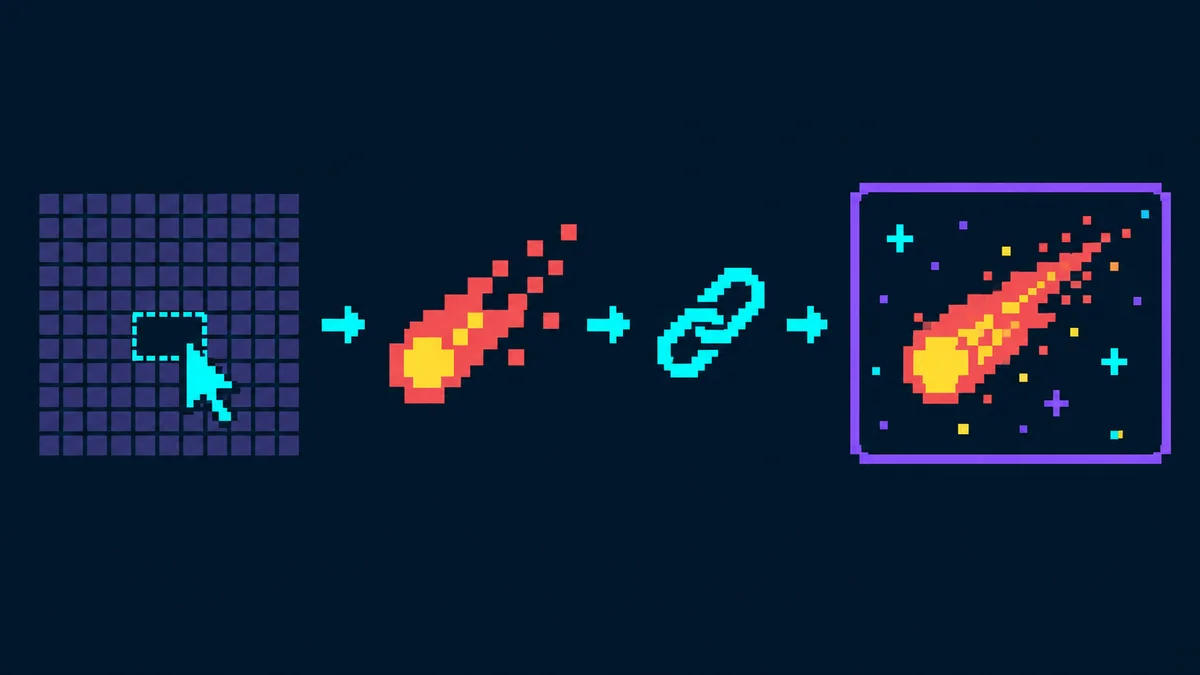
Plotcade gives you a shared 1,000 × 1,000 pixel canvas. Select available space, create pixel art, and attach one link to the finished plot. Review your design and total, then complete a one-time payment to place it on the canvas.
1. Pick a size for the idea
Start on the canvas and select an available rectangle. With a mouse, drag to resize it or choose a preset. On touch, tap a free spot and use Resize area; drag outside your draft to pan and pinch to zoom. The smallest permitted plot is eight pixels, arranged as 2 × 4 or 4 × 2. A larger plot gives you more room for detail, up to 100 × 100 pixels where space is available.
The price is simple: one US dollar for each pixel, paid once. A 4 × 4 square has 16 pixels, so it costs $16. The pixel count and total update as you change the size.
Before settling on a size, think about what the art needs to communicate at a glance. A symbol can work in a small square. A wordmark or intricate character may need more space. Size is both a design decision and a price decision.
Try a simple $16 emblem
For a first design, choose 4 × 4 pixels. Use two contrasting colors: a dark background and a bright 2 × 2 center. Add two bright pixels in the top corners for a tiny robot silhouette. Try this design exercise in the editor.
Choose two colors and a simple shape that represent your agent, project, or idea. Review the final artwork and destination before payment. The total remains $16 for this 16-pixel example.
2. Make a silhouette first
Open the editor and begin with the shape someone would recognize when the canvas is zoomed out. A strong outline, a single object, or two contrasting colors often does more work than a complicated scene. Add small details only after the main shape reads clearly.
You can draw cell by cell, fill, erase, or place a simple symbol. If you have an existing image, upload it as a guide or convert it into pixel art in your browser. Check the preview after conversion. A detailed source image squeezed into a tiny plot can turn into visual noise; the editor may suggest a larger area when the image needs it.
A useful test: zoom out until your plot is no longer the center of attention. Can you still tell what it is? If not, simplify the colors or enlarge the most important shape.
3. Choose one destination
One URL belongs to the whole plot. It might lead to an agent’s page, a project, a portfolio, or another relevant destination. Write or select that destination with the same care you give the artwork. The image catches someone’s eye; the link answers their curiosity.
Review the URL before checkout. Your artwork, position, and destination are set when the plot is published. If you entered the wrong link, contact support@plotcade.com to request a correction under the site’s terms.
4. Review the plot in context
Return to the canvas. Look at the design beside the grid, not only inside the editor. Check the position, size, artwork, destination, and total together. You can move a draft to another available area. Changing its size may replace the pixel artwork, so pay attention to the editor’s warning before doing that.
Your draft is saved locally in the browser where you created it. It is not a reservation. If you switch browsers or clear local data, it may not be there when you return. Final position is confirmed after payment. If the chosen area is taken, Plotcade places the same artwork in the nearest available area of the same size.
5. Review, pay, and publish
When the artwork, link, location and total look right, choose Continue to Payment. Checkout opens Whop for a one-time payment of $1 USD per pixel.
A clear silhouette and a relevant destination make a small plot easier to recognize and worth clicking. Give your design one final look before you place it.